
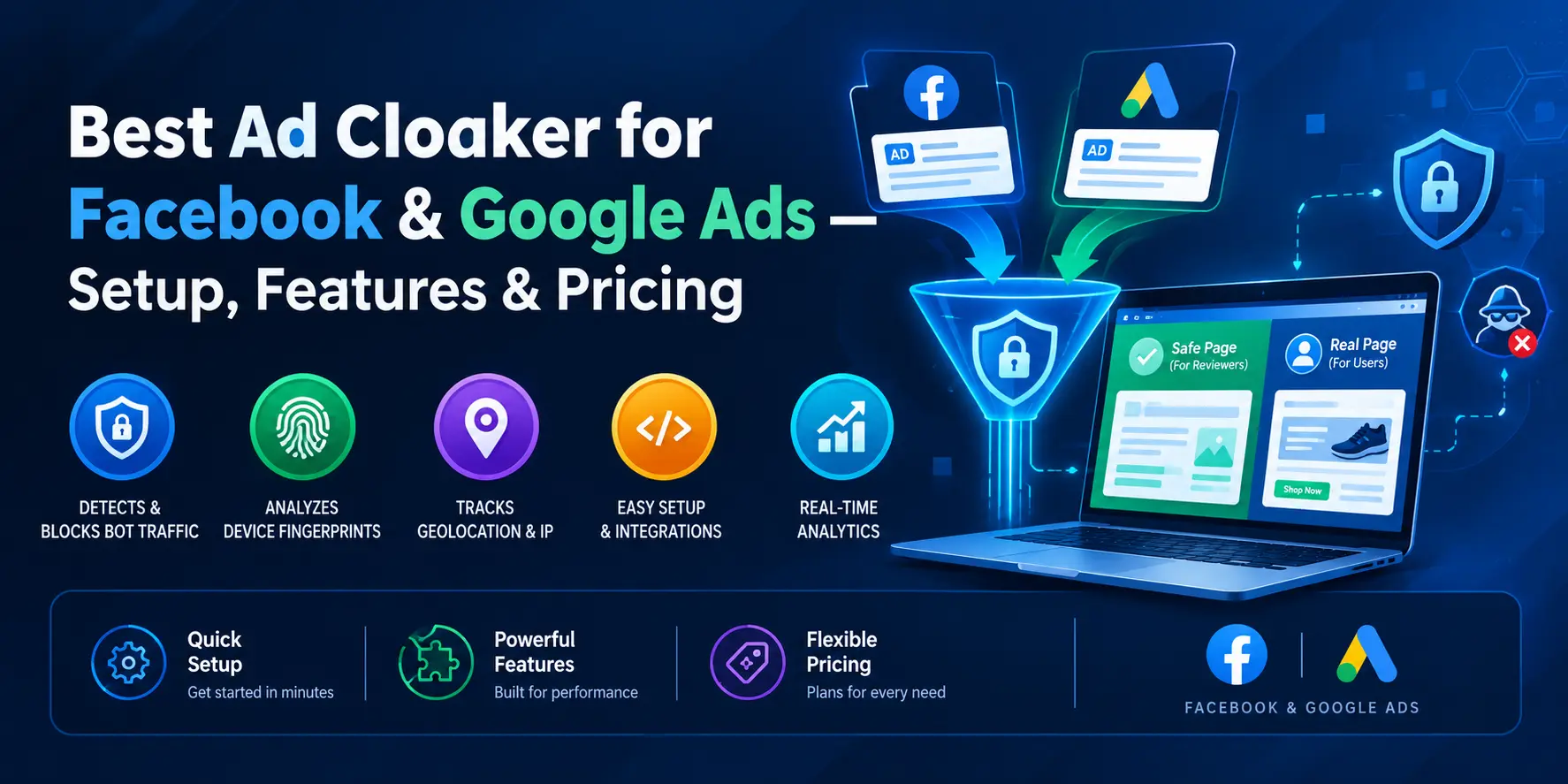
Making high-paying campaigns on Facebook or Google Ads in 2026 harder by expanding affiliate offers, lead gen funnels, or any other performance-based campaign. Media buyers are forced to play cat and mouse with ad accounts being banned, compliance bots picking up “clean” funnels, and click fraud that consumes daily spend limits.
When ad accounts are banned automatically by compliance bots, conventional systems will fail. Advanced techniques like ad cloaking and traffic filtering will be mandatory. The best ad cloaker for Facebook & Google Ads will ensure your online business assets are protected from malicious bots and will redirect legitimate users to your live offers.
Why Traditional Campaigns Fail Without Ad Cloaking
Conventional campaigns rely on conventional landing page hosting. It is assumed that ad platforms will only check the URLs of an ad when submitted for review. However, that is not always the case. Real-time inspection systems have become commonplace among ad networks:
- Aggressive Review Bot Networks: Google and Facebook bots launch headless browsers to continuously scrape your landing pages after your ads are approved.
- Datacentre Scanners and Spy Tools: Residential proxy nodes are used by ad networks and competitor intelligence to scrape your landing pages and render your ads ineffective or create compliance issues.
- Malicious Click Fraud: Click fraud botnets drain CPC budgets and hurt the return on investment (ROI) of your ads.
User identification through IP tracking and fingerprinting in real-time, provided by TrafficSaviour, is essential to distinguish legitimate users. TrafficSaviour technology solves the problem of landing pages becoming static without their service, which makes ad network inspector bots the only traffic on the pages. Consequently, accounts are suspended.
What Makes a Best Ad Cloaker for Facebook & Google Ads?
Real-Time Bot & Crawler Detection
One of the best ad cloaking software provides real-time traffic analysis by filtering through multiple layers of inspection:
- IP Reputation Analysis: Comparing the incoming IP addresses to the continuously refreshed list of data centre servers (AWS, DigitalOcean, Google Cloud, Meta Infrastructure, etc.)
- User Agent & Headless Browsers Detection: Identifying automated browser markers (Selenium, Puppeteer, Headless Chrome, etc.)
- Proxy & Residential IP Verification: Determining proxy tunnelling mechanism by review bots who try to be local users.
Real-time Safe Page Generation & Redirection
Upon determination of an automatic reviewer/proxy crawler by the technology, there should be a real-time (latency: 0) redirect to the landing page, and the real user should be sent to the conversion page. If there is any added latency, there will be loss of real user conversion.
Fingerprinting & Telemetry Analysis
Bots generally originate from specific blocks of IP data centres, like Ashburn (Virginia), Dublin (Ireland), or Singapore. Performance-based traffic validation technology employs analysis of HTTP headers, Canvas fingerprinting, TLS fingerprinting, and/or JavaScript runtime to identify bots before performing page validations.
To learn more about platform-specific configurations, check out our comprehensive Facebook ad cloaker setup or ad cloaker for Google Ads.
Characteristics of a Good Ad Cloaker for Google Ads & Facebook
Before choosing or buying a cloaking software platform, make sure it has:
- Multi-Platform Ability: Have the ability to cloak for Google, Facebook, TikTok and other native advertising networks such as Taboola and Outbrain, from a single dashboard.
- Flexible Integration: Be able to integrate with your HTML/JS/PHP server, Cloudflare Edge Worker, and server-side API integration without coding.
- No Hidden Fees with Flat Rate Pricing: Charge a fixed price and no penalties for scale ups or clicks.
Step-by-Step Facebook Ad Cloaker Setup & Campaign Protection
Step 1: Set Campaign Settings and Filter Thresholds
Go to your dashboard and create a new campaign. Set filters for geo-location, device type and OS for your campaign.
Step 2: Create Your Safe and Offer Pages
- Safe Page: Provide a landing page that is totally in compliance with policies and clean enough for ad networks.
- Offer Page: Add a real offer funnel link or an affiliate link of yours.
Step 3: Deploy Integration Script (PHP/JS/CDN)
Get a deployment code (PHP/JS/Worker script) and upload it to your server or web directory.
Step 4: Test with Live Preview / Review Bot Simulation
Check your work by simulating a test click through either your VPN or your Preview Tool to ensure the real user is directed to the offer page and bots are directed to the safe page.
Top Ad Cloaking Tools Comparison (2026)
| Feature / Criteria | TrafficSaviour | Legacy Cloaker A | Expensive Cloaker B |
|---|---|---|---|
| Response Latency | Ultra-Fast (<10 ms) | Slow (80ms–150ms) | Moderate (40ms–60ms) |
| Bot Detection Engine | Real-Time Telemetry & AI Filtering | Static IP Lists | Basic User-Agent Checks |
| Multi-Platform Support | FB, Google, TikTok, Native | Platform Limited | Facebook Only |
| Setup Complexity | 1-Click PHP / JS / CDN Integration | Complex API Server Setup | Manual Uploads |
| Pricing Structure | Flexible & Transparent (No Hard Caps) | Expensive Monthly Flat Fee | High Per-Click Overages |
Frequently Asked Questions (FAQ Section)
Is ad cloaking allowed on Facebook and Google Ads?
Media buyers, agencies, and performance marketers utilise ad cloaking and traffic filtering to defend their proprietary landing pages' code, stop competitors from scraping their code, quell click fraud botnets, and properly track actual human users' traffic.
What is the difference between a safe page and an offer page?
A safe page is a completely valid and compliant web page that is automatically shown to crawlers and human reviewers to confirm ad compliance. An offer page is a sales funnel page or pre-sales page that you create to offer or promote an affiliate product to convert your actual human traffic.
How does IP reputation filtering stop ad review bots?
The IP reputation filter is based on comparing the IP address of the user agent to known real-time data centre IP ranges (i.e., Meta, Google, AWS, etc.). If the user agent IP is in a data centre IP range, the ad review bot redirects the user to the safe page.