
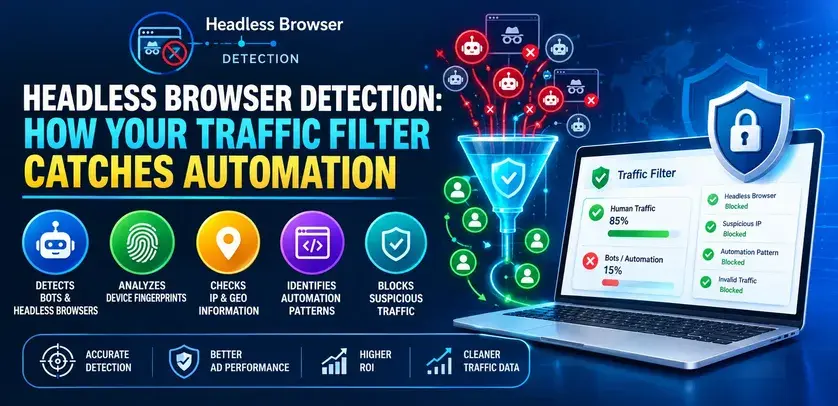
Headless browser detection detects web sessions that use automation technologies such as Puppeteer, Playwright or Selenium. This technology analyses browsers, rendering processes, network traffic and behaviour and provides a score for each session. Affiliates use headless browser detection to block bots, scrapers and bogus leads.
You see 1,000 clicks in your tracker. You see 1,000 sessions on your landing page. However, your conversions don’t grow, and your bounce rate remains suspiciously high. Most probably, what is missing is automation. Headless Browser Detection is what you need to find out if your sessions were created by scripts rather than buyers.
What Is Headless Browser Detection?
The headless browser is a browser engine working without a user interface. It can be managed by developers using such technologies as Puppeteer, Playwright, and Selenium. The very same technologies are used to implement scrapers, click fraud, and fake form fills. The headless browser detection tool checks every browser session to identify if there is a human or a script behind it. According to the latest Imperva's Bad Bot Report, bad bots accounted for 37% of worldwide web traffic in 2024.
What Is Headless Browser Detection in Ad Cloaking?
Headless browser detection in the context of ad cloaking means applying the same methods for determining what page should be displayed to the visitor. This technique is often intended for displaying one page to ad network evaluators and another to actual visitors and is against the guidelines of Google, Microsoft, and Meta. Such accounts are typically banned from using the service. This guide explains how to properly apply this technology in order to detect automation.
How Does Headless Browser Detection in Ad Cloaking Differ From Bot Filtering?
The detection itself is identical. What differs is what happens next.
| Dimension | Bot Filtering | Ad Cloaking |
|---|---|---|
| Goal | Keep automation out of your traffic and data. | Show different content to different visitors. |
| What real visitors and reviewers see | The same compliant page | Different pages depending on who is detected. |
| Policy status | Standard, accepted practice | Violation of major ad platform policies |
| Typical outcome | Cleaner data, less wasted spend | Account bans and flagged domains |
If you use detection, block or log the bots and keep the page identical for everyone else.
How Does Your Traffic Filter Catch Automation?
No single check is reliable. Automation tools can patch one or two giveaways, so good filters compare several layers and hunt for contradictions.
| Layer | What It Checks | Example Contradiction |
|---|---|---|
| Browser | Automation flags, plugins, languages | Looks like a desktop browser but exposes an automation flag. |
| Rendering | Canvas, WebGL, fonts | Graphics output doesn't match the claimed device. |
| Network | TLS handshake, headers, IP type | Connects like a script or from a data centre |
| Behaviour | Mouse paths, timing, scrolling | Perfectly straight cursor movement |
A real visitor lines up across all four layers. Automation usually leaves small gaps, and several gaps together are strong evidence.
Which Signals Matter Most, and Which Mislead?
Every signal has a catch. Knowing the limits keeps you from blocking real customers.
| Signal | What It Suggests | Limitation |
|---|---|---|
| navigator.webdriver is true. | Automation protocol in control | Easily patched, so absence proves nothing |
| "Headless" in user-agent | Older headless mode | Newer modes hide it. |
| Software-rendered graphics | Server without a GPU | Virtual machines look similar. |
| Platform mismatch | Spoofed identity | Some privacy tools alter values. |
| Too regular timing | Scripted interaction | Power users can look uniform. |
| Data centre IP | Not a consumer connection | Corporate and VPN users trigger it |
Treat each row as one vote, not a verdict. Clusters of weak signals beat any single red flag.
Field note: In traffic audits, the most common mistake is trusting an old checklist. Signals that worked two years ago, like an empty plugin list or a headless user-agent, are now trivial for automation tools to patch. Refresh your rules regularly and retest them against your own sessions.
What Is Automation Costing You?
Different bots hurt in different ways. Identify yours first.
| Threat | Damage |
|---|---|
| Spy-tool scrapers | Copied landers, inflated visit counts |
| Click bots | Paid clicks with no real visitor |
| Lead bots | Fake leads, rejected conversions, network disputes |
| Bot conversions | Tracker and ad platform data skewed |
Illustrative example: On 10,000 monthly clicks at $0.40 each, an 8% automation rate means 800 wasted clicks, roughly $320 a month. The bigger cost is bad data steering your optimisation.
How Do You Roll It Out Without Blocking Real Buyers?
It’s not about speed; it’s about being careful. Aggressive rules from the very first day are what affiliates use to lose their paying customers.
- Start with log-only mode. Evaluate sessions without blocking so that you understand the true nature of your baseline.
- Test on your site. Run your Playwright/Selenium sessions along with live sessions on your own page.
- Use weighted scoring. React only if the total score surpasses a certain threshold, but never on any single signal.
- Evaluate flagged sessions weekly. Check for privacy for browser and/or VPN users who get caught by mistake.
- Implement restrictions gradually. Start by blocking the top tier and then proceed to challenge/logging the second tier.
- Monitor flag rate for each traffic source separately. In many cases, one source brings all the automation, and this is where it makes sense to react.
What Mistakes Should You Avoid?
There are a number of recurring mistakes that are easy to avoid.
- Using just one sign. This approach fails to detect the majority of modern bots.
- Neglecting log-only mode. It will take just one day for you to lose any potential buyers.
- Ignoring false positives. Brave browser, restrictive Firefox settings and company proxies could appear unusual.
- Believing it will do everything by itself. The most reliable accounts are owned by those reading logs.
What Should You Look for in the Best Headless Browser Detection Software?
"Best" depends on your volume and technical comfort. Use these criteria to compare any tool.
| Criteria | Look For | Ask the Vendor |
|---|---|---|
| Detection depth | Multi-layer scoring | Do you rely on single flags? |
| Update cadence | Frequent signal refreshes | How often are rules updated? |
| False-positive control | Log-only mode, adjustable thresholds | Can I see why a session was flagged? |
| Reporting | Flag rate by source. | Can I export session data? |
| Privacy | GDPR and CCPA alignment | What data do you retain? |
Best Headless Browser Detection Software for Smaller Affiliate Accounts
For smaller amounts of clicks, emphasise setup ease, logging functionality only, and explanations of the flags. This means you will be getting the most from manually analysing a few flagged sessions, so reporting is the crucial aspect and not any fancy additional features. Testing TrafficSaviour or other similar software on a smaller campaign is relatively risk-free, as you will be able to see what your traffic looks like.
Best Headless Browser Detection Software for High-Volume Teams
At higher click volumes, focus on the multi-scoring system, export on a session level, and separate false positive statistics by traffic source and placements. False positive percentages become dollars at higher volumes, so you may consider threshold control and rule updates worth the extra fees. Test any product on your own traffic and compare its flags to those of your test sessions. The vendor's statements are a basis, and your own logs are the truth. TrafficSaviour is one option worth putting through that test. It scores sessions using real-time behavioural and IP-based signals and can be deployed through PHP, JavaScript, or WordPress integrations.
Frequently Asked Questions
It detects sessions that are generated using automation tools instead of human beings. It analyses signals from the browser, rendering, network, and behaviour layers, and raises flags for sessions with conflicting signals in a way humans cannot generate.
These plugins modify known flags, so single signal tests do not detect them. It is very difficult to circumvent cross-layer scoring tests, although nothing can last forever. Make sure your signals are up-to-date and test your results.
This is possible if the rules are overly restrictive. Private browsers, virtual private networks, and corporate proxies may seem odd at times. Begin with log-only configuration and utilise weighted scoring.
Certainly not. Organisations use them for testing, monitoring, and accessibility tests. The detection process seeks to differentiate between scrapers, bots, and spam.
Conclusion
The headless browser detection system will work with layers of signals, scoring sessions, and constantly testing against your own traffic. Start with log-only and analyse what you see, adding to the rules from there. From the point of view of affiliates, there would be clear data with minimum fake leads, and money would go only to those people who exist. TrafficSaviour is one of the possible tools for implementing such automation.
 Support
GitHub
Support
GitHub