
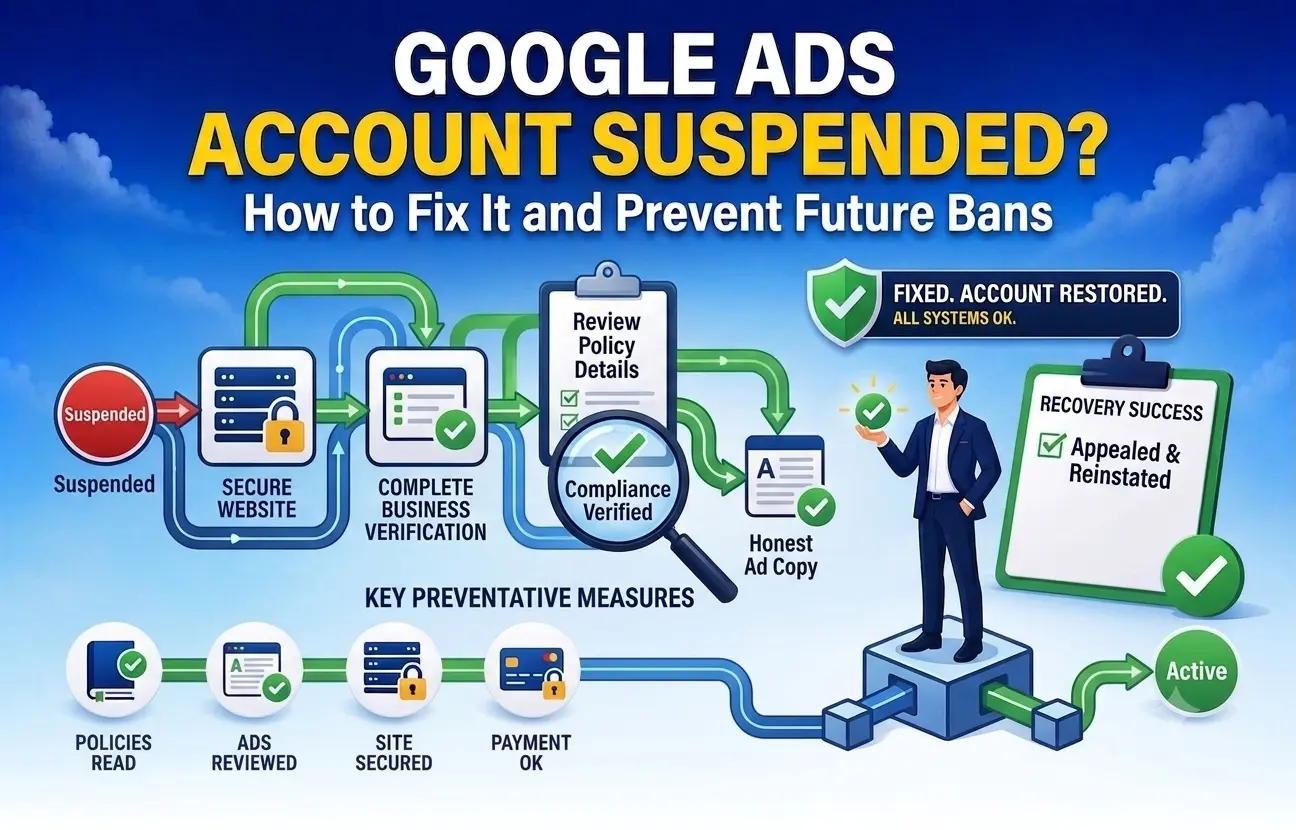
A Google Ads account could be suspended for violations, payment-related problems, or any sort of suspicious behaviour on the part of the Google Ads account holder. In this case, the most important thing to do is to identify the factors that have led to your suspended Google Ads account.
Why Is Your Ads Account Banned by Google?
- Policy violation.
- System bypassing.
- Acceptable business practices.
- Suspicious payment transactions.
- Misleading business information.
- Landing page problems or unverified claims.
1. Suspended Google Ads Account for Bypassing the System
It occurs in case Google finds any activity which seems like a system-bypassing attempt.
What to do:
- Review ad copy and landing pages.
- Check redirect and tracking settings.
- Remove everything misleading or deceptive.
- Ensure transparency in your account structure.
- Appeal only when you resolve the issue.
2. Suspended Google Ads Account for Unacceptable Business Conduct
Suspensions can be placed on the accounts where the business seems misleading, dishonest, and non-transparent.
What to do:
- Ensure that your business name and contact information are correct.
- Your website needs to be in line with the claims in the ads.
- Eliminate all false or misleading offers.
- Add business and policy information.
- Ensure billing and business info match.
3. Suspended Google Ads Account for No Clear Reason
Here, you have no specific reason why your account was suspended, but there is a problem within the account.
What to do:
- Go to Policy Manager.
- Examine all active ads, assets, and landing pages.
- Look for policy violations.
- Check your account for compliance with Google Ads policies.
4. Suspended Google Ads Account for Suspicious Payments
Suspension may also be caused by billing issues.
What to do:
- Review any failures or reversals in payments.
- Verify your billing profile information.
- Use an acceptable payment method.
- Ensure that your billing country information matches your business information.
- Contact support in case of payment-related issues.
Ad Disapproval and Account Suspension
Many advertisers confuse ad disapproval with account suspension, but both have very different effects. Ad disapproval applies to a specific ad, asset, or extension, while account suspension prevents the entire Google Ads account from running.
| Factor | Ad Disapproval | Account Suspension |
|---|---|---|
| Impact Level | Affects only one ad or asset | Disables the entire account |
| Campaign Status | Other campaigns may continue | All campaigns stop immediately |
| Recovery | Edit the ad and resubmit for review | Fix the issue and submit an appeal |
| Risk Level | Moderate | High |
How to Reactivate Your Google Ads Account
1. Identify the Problem
First, read the suspension email thoroughly and get information about the policy via Policy Manager in Google Ads.
2. Resolve the Problem
It is very important to solve the existing problem first. As Google advises, one should not appeal the issue until the violation or the billing problem is solved.
3. Submit the Appeal
It is necessary to submit the appeal by filling out the special form or troubleshooting in your account and giving the facts on the issue and its solution.
4. Wait for Google’s Decision
After you have submitted your appeal, you need to wait until the review team gives its decision. As Google mentions, the review process can last a couple of business days, and it is possible to slow it down by submitting more than one appeal quickly.
Tips for a Better Appeal
- Be specific about the issue.
- Mention the exact changes you made.
- Provide supporting URLs or screenshots if relevant.
- Keep the tone professional and concise.
- Do not create new accounts while the appeal is pending.
Prevent Suspensions in the Future
In order to decrease future chances of Google Ads account suspension, you should use TrafficSaviour as an extra filter of traffic quality and invalid clicks and not as a tool of hiding something and bypassing the policy checkers.
Practical recommendations
- Filter any suspicious traffic and invalid clicks in advance before they will influence your performance.
- Control your traffic sources and any strange activity in them, poor-quality traffic, etc.
- Make sure that all your landing pages are consistent and correct.
- Be careful with your redirections and tracking links as well as pages' behaviour.
- Don’t use any untrustworthy traffic sources.
- Do the Google Ads policy checkers during pre-launch preparation.
How TrafficSaviour helps:
The TrafficSaviour tool may contribute to the safety of the advertising campaign through helping identify and decrease the share of invalid traffic, which is essential since Google's systems are primarily concerned about suspicious and invalid ad traffic. It is always better to be safe than sorry.
Frequently Asked Question
Q1. Why was your Google Ads account suspended?
Suspension happens for violating policy, payment problems, suspected fraudulent activity, or circumventing systems. Check the notification message and policy manager for the exact reason.
Q2. Is there a possibility to appeal the suspension of a Google Ads account?
Yes. There is an appeal procedure, but you have to fix the problem before applying.
Q3. What is cloaking in Google Ads?
Cloaking is presenting a different content to Google reviewers than to real visitors. Cloaking is considered a violation of the circumventing systems policy.
Q4. How do you increase the chances of reinstatement?
Firstly, fix the problem, write a concise and factual message, and state what exactly you fixed.
Q5. How do you avoid being suspended in the future?
You have to maintain consistency in your ads, landing pages, payments, and business profile.
 Support
GitHub
Support
GitHub